In short
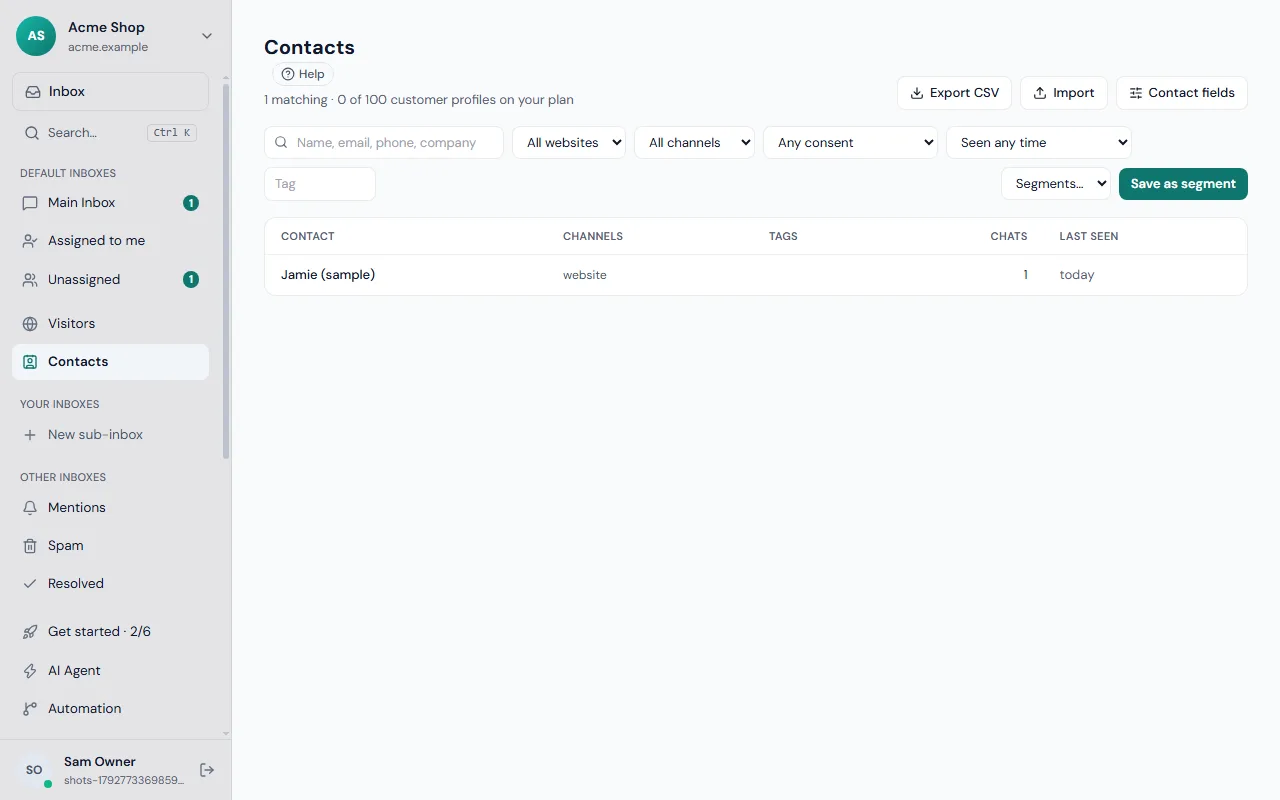
Frosvo keeps one profile for each person you talk to, across website chat, email and messaging apps. A profile holds their conversations, the pages they visited and your own custom fields. You can import and export contacts, merge duplicates, and save filters as segments to report on or email.
What you get
- Profiles
- Conversations, page visits and details for one person, across channels.
- Custom fields and segments
- Your own fields; save filters as segments to report on or email.
- Merging
- The same person on email and WhatsApp becomes one contact.
- Import and export
- CSV in and out with duplicates matched — or import from Intercom, Zendesk, Freshdesk, Gorgias or Crisp.
- Account connector
- Your own panel or shop beside every chat, with actions your team can take.
- CRM plugins
- HubSpot, Salesforce, Pipedrive, Zoho CRM and Microsoft Dynamics 365.
- Customer portal
- Customers see their own conversations and requests.
- Privacy built in
- Export or erase one person's data in a click.
Get started
Bring your contacts
CSV import, or move everything from your old helpdesk.
Add your fields
Plan, account ID, whatever your team needs to see.
Connect your systems
A CRM plugin or the account connector.
One profile per person
When someone gives a name or email in a chat, a form or a pop-up, Frosvo creates or updates their contact. The same person writing from email and WhatsApp can be merged into one profile, so their history stays together. Visitors who have not given any details stay anonymous.
If your customers sign in to your website, you can tell Frosvo who they are, so your team sees a name and email instead of a stranger. With WooCommerce, WHMCS and other connections, their orders and account appear beside the conversation.
Your own fields and segments
Add custom fields for what matters to you, such as plan, account number or company. Save any combination of filters, for example people not seen for 90 days, as a segment, then report on it or email it with a campaign.
Import contacts from CSV, export them at any time, and move your history across from Intercom, Zendesk, Freshdesk, Gorgias or Crisp when you switch.
Frequently asked questions
Is Frosvo a CRM?
Frosvo keeps a profile for each customer with their conversations, visited pages and custom fields, and lets you segment and email them. It is built for support and customer conversations; it also connects to CRMs such as HubSpot, Salesforce and Pipedrive through plugins.
Can I import my contacts?
Yes. Import contacts from a CSV file and export them whenever you like. If you are moving from another helpdesk, Frosvo can also import contacts and conversations from Intercom, Zendesk, Freshdesk, Gorgias and Crisp, keeping dates, authors and notes, without emailing anyone.
Can I merge duplicate contacts?
Yes. When the same person writes from email and from WhatsApp, you can merge the two profiles into one. Their conversations and history then stay together, so your team sees everything in one place instead of two half-pictures.
Do visitors become contacts automatically?
When a visitor gives a name or email address in the chat, a form or a pop-up, Frosvo creates or updates their contact. Visitors who have not given any details stay anonymous. If your customers sign in to your website, you can pass their name and email to Frosvo as well.