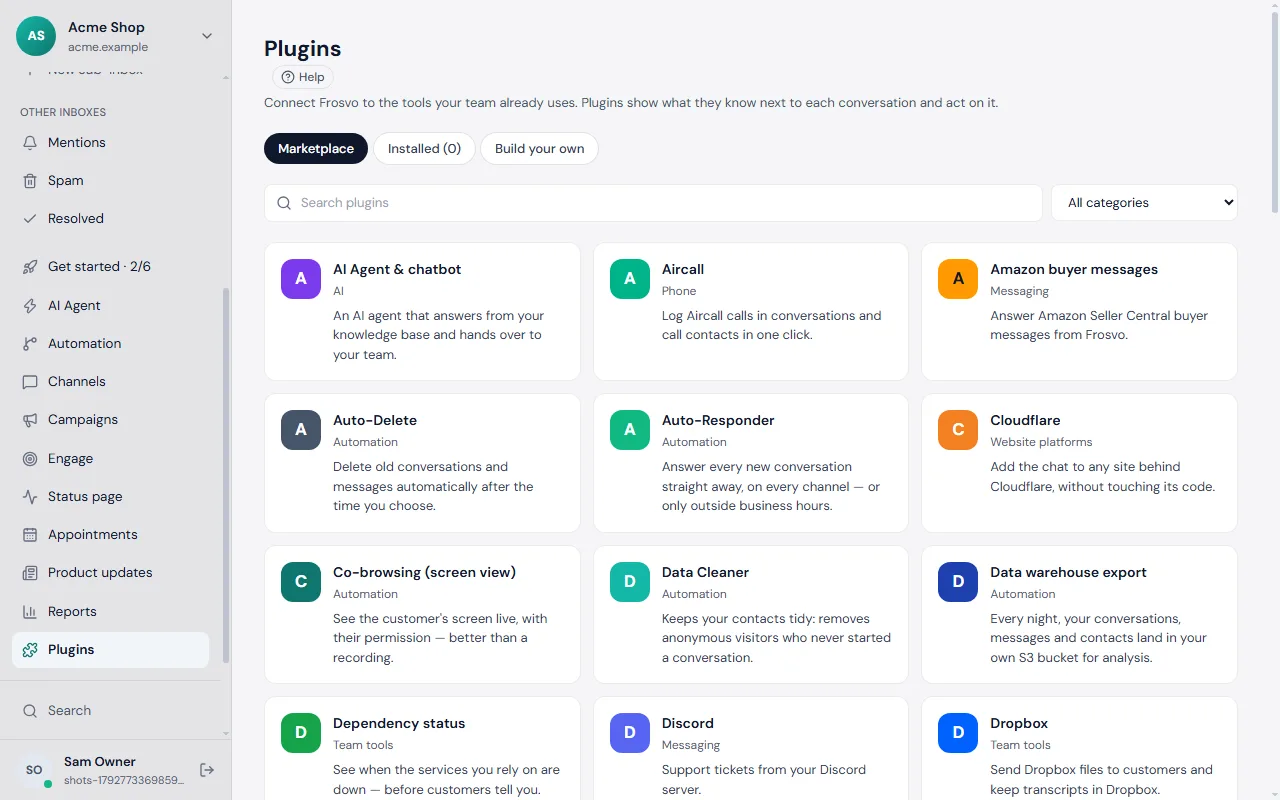
Open Plugins in the desk to browse and install them. Each plugin asks only for the settings it needs, and many add a panel beside each conversation.
What's there
- CRM — HubSpot, Salesforce, Pipedrive, Zoho CRM, Microsoft Dynamics 365.
- Shops and billing — Shopify, WooCommerce, Magento, PrestaShop, WHMCS, Stripe.
- Work tracking — Jira, Jira Service Management, Linear, GitHub, Trello.
- Phone — Aircall, Ringover, KrispCall.
- Marketing and data — Mailchimp, Klaviyo, Segment, a data-warehouse export.
- Automation — Zapier, Make, n8n.
- Productivity — Quick Actions, Quicklinks, Message Scheduler, Auto-Responder, Spam Detector, Data Cleaner, Auto-Delete, Smart Segment Rules, Email insights, Dependency status, Dropbox.
Platform packages
Ready-made packages put the chat on WordPress, WHMCS, Joomla, PrestaShop and Magento sites. Download them from the integrations page.
Build your own
Plugins can add panels and actions in the desk and receive events. See the developer hub.
Choosing plugins
Install only what your team will use. Start with the system that already holds your customers, such as your shop or CRM, so every conversation shows who the customer is.
Related
Put the chat on your site with a platform plugin, notify your team with Slack, or build your own with the developer docs. Phone systems log calls into the caller's conversation; channels like Telegram are covered in channels.
Common questions
Are plugins free? The marketplace lists what is available. Some tools need an account with the other service, which may have its own price.
What do plugins see? Each one asks only for the settings it needs, such as an API key for the other service.
What if a plugin stops working? Open the plugin and check its settings. Problems with outside services also appear on the Problems page.