When you answer a customer you want to know whether the message reached them. Frosvo shows a small status under each of your replies so you do not have to guess.
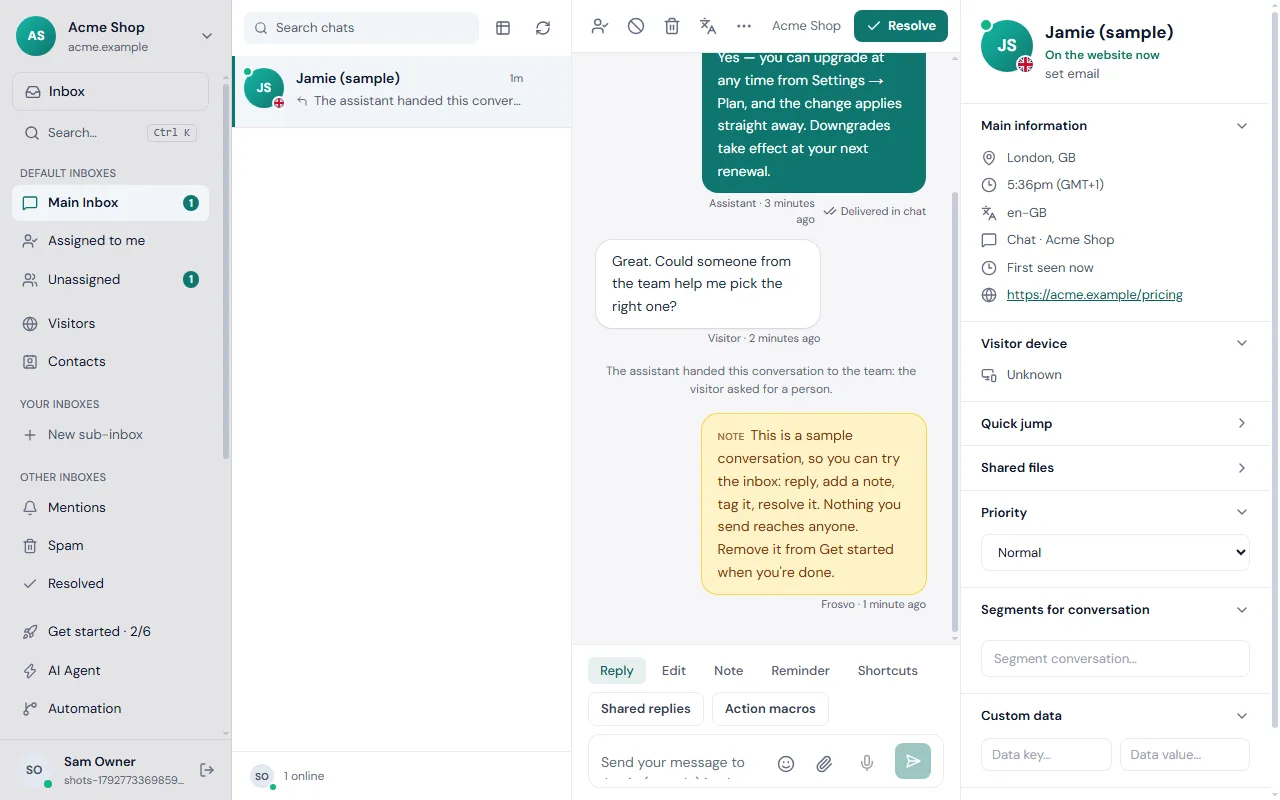
The four states
- Sent (one grey tick): Frosvo has saved your reply and it is waiting in the conversation.
- Delivered in chat (two grey ticks): the visitor's chat was open on their screen after your reply was sent, so the message appeared in front of them.
- Seen (two blue ticks): the visitor has read it.
- Sent by email (a small envelope): the visitor had left the website, so Frosvo emailed your reply to the address they left.
The status always shows the furthest point the reply has reached. A reply moves from sent to delivered to seen by itself while you watch, with no need to refresh.
Where to see it
Open any conversation in the Inbox. The status sits beside the time under each of your replies. Hover over it to read the words as well as the icon.
Only replies from your team show a status. The visitor's own messages and your private notes do not.
What it tells you
- Wait or follow up? Two grey ticks mean the visitor has the message but may not have looked yet. Two blue ticks mean they read it, so a quick follow-up is reasonable if they stay silent.
- Is email the only way they will see it? The envelope tells you the visitor is no longer on the site. Their answer will arrive as an email reply into the same conversation, so keep an eye on your mailbox settings if you expect a reply that way.
- Did a mistake go out? If a reply is still only sent or delivered, you can take it back. See edit and unsend a reply.
When something looks stuck
If a reply stays on one tick for a long time and the visitor is clearly on the site, check that the conversation is on the website chat and not a channel. For channel conversations look at Channels → Deliveries, where each message shows queued, sent, delivered or needs review.
If emails to visitors never arrive, read sending email from your own address and open Settings → Operations → Problems, where failed emails are listed with the reason. The troubleshooting guide covers the most common cases.
Related: the inbox and chat transcripts by email.