Waiting for visitors to write is fine. Writing first can win the sale.
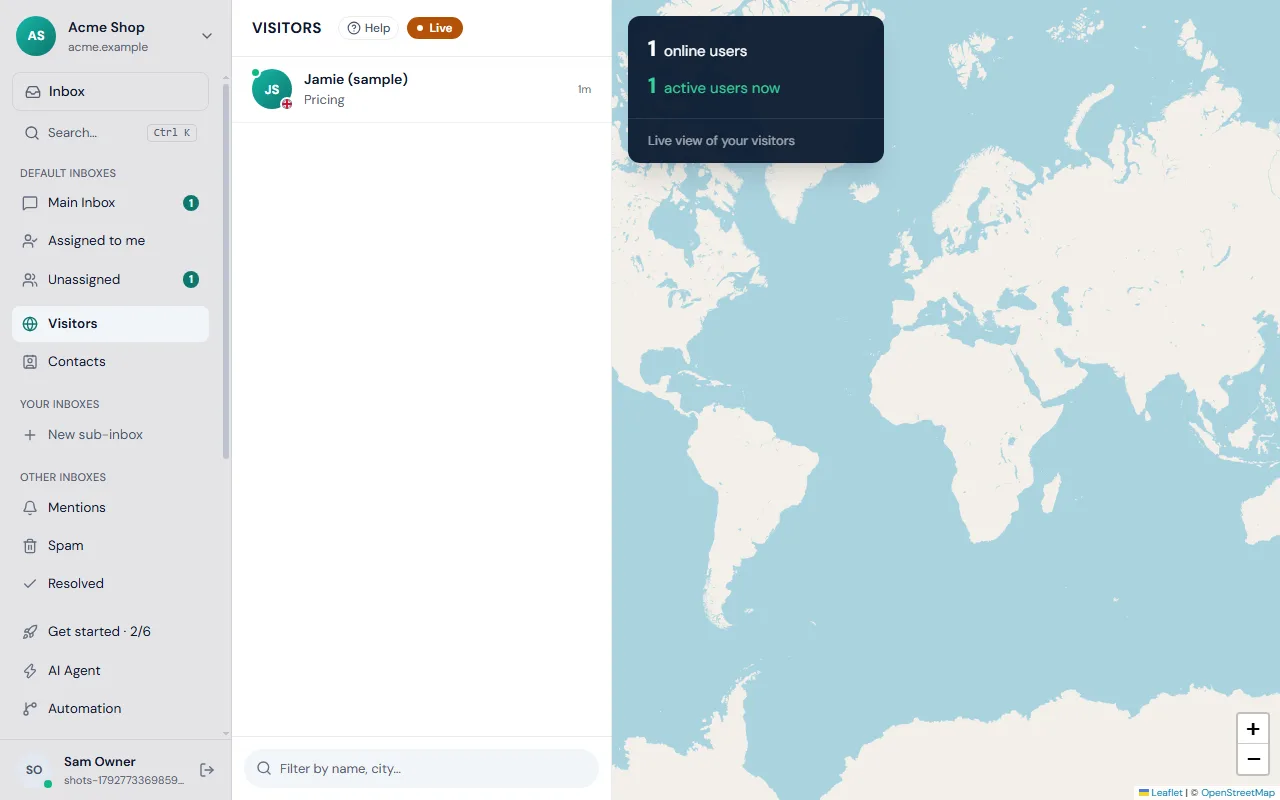
Start the chat
- Open Visitors in the left rail.
- Click a visitor to open their details.
- Find the box labelled Start a chat and write your message, or click one of the greetings under it.
- Click Send message.
Frosvo offers three greetings: "Hi! Can I help you with anything?", "Any questions about our plans?" and "Need a hand choosing?". Clicking one puts it in the box so you can change it before sending. The box grows as you type, up to six lines.
What the visitor sees
Your message appears as a small bubble in the chat on the page they are on, with a Reply button. The widget checks for new chats from your team every ten seconds and opens an unread one from the last 24 hours. The visitor sees your brand name and role, as explained in chat brand names.
What happens in your inbox
Frosvo uses the visitor's open website chat, or creates a new one. It is assigned to you, so it appears in your Inbox under your name, and the assistant is turned off for it. When the visitor replies, you are notified like any other chat. Watch the ticks under your message to see when it is delivered and seen.
Tips for good openers
- Mention the page: "I see you're looking at pricing. Any questions?"
- Keep it to one sentence and one question.
- Wait before you send a second message.
- Do not message visitors who just arrived: give them a minute to look around.
Limits
- You can only reach visitors who are currently reachable. A visitor shown as left, with the red dot, may never see it.
- Blocked visitors cannot be messaged. See spam and blocking.
To see everyone on the site first, read the live visitors guide. Not sure how replies and assignment work? See the inbox guide.